Every resume that enters the system becomes a candidate and is kept in the talent pool. A good resume you received two years ago can still be found at any time.
Recruiters can only find and search among their own candidates. People with "View all" permission can search everyone.
Talent pool: filters and quick search
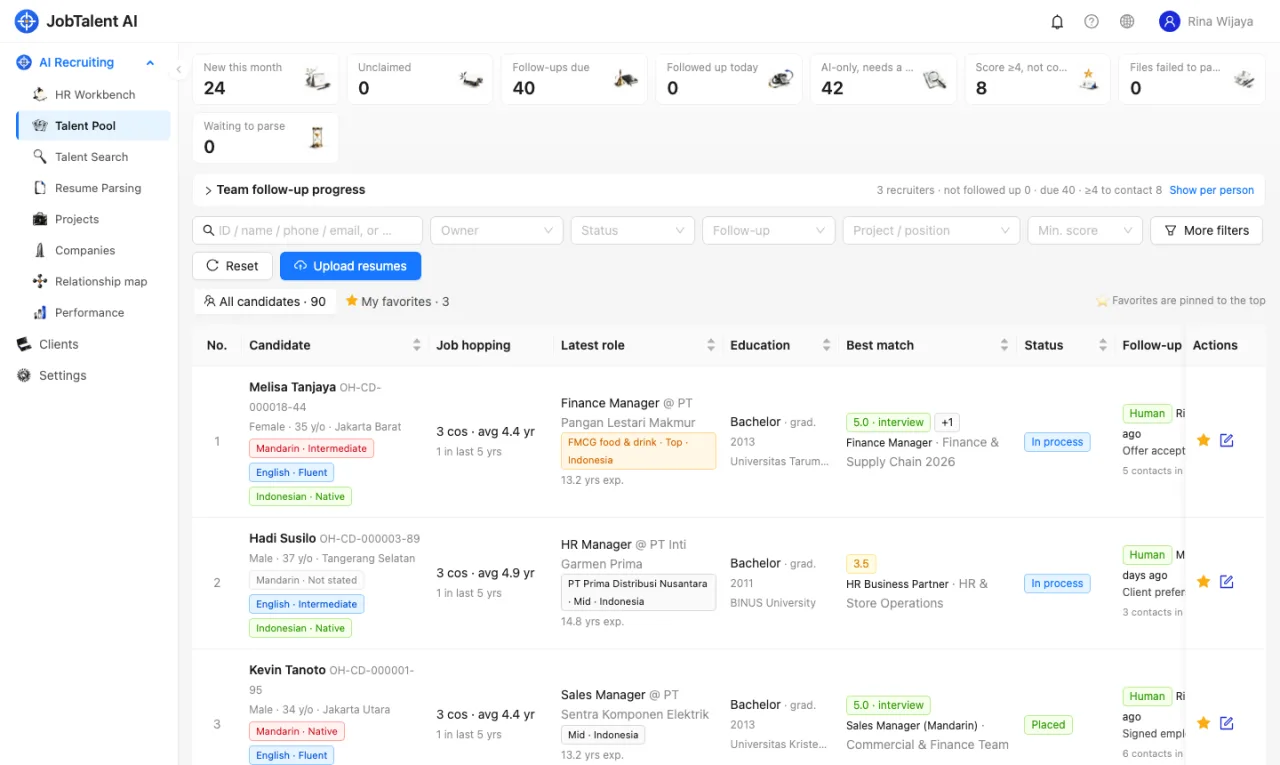
"AI Recruiting" → "Talent Pool" lists all candidates you are allowed to see.
- The cards at the top filter common lists in one click, for example new this month, unclaimed, follow-ups due, and score ≥4 not yet contacted.
- The common filters sit in one row: search box, owner, status, follow-up, project / position, minimum score.
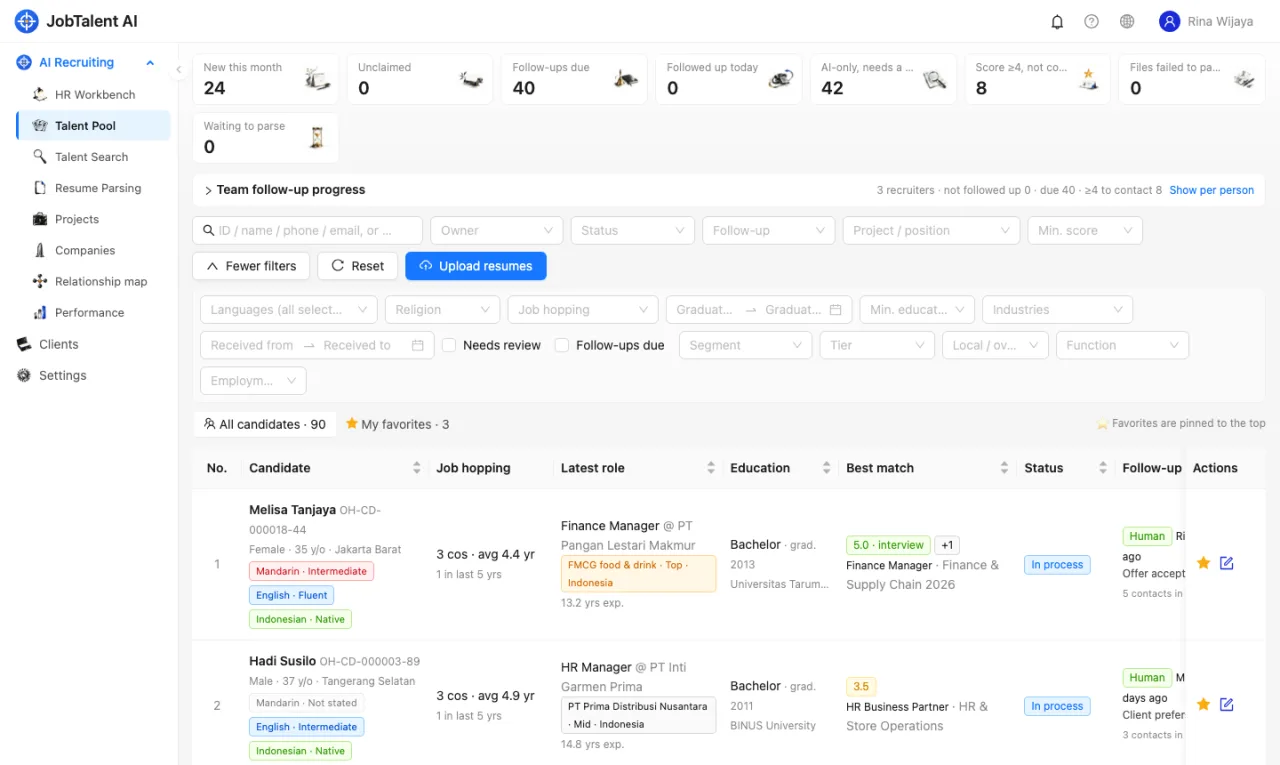
- Click "More filters" for the rest: languages, religion, job-hopping frequency, graduation year, minimum education, industry, company filters, date received, needs review, follow-up due. When extra filters are in use, the button shows how many.
- Favorites can be pinned to the top, or you can view only "My favorites".
- In the search box you can enter a candidate ID, name, phone or email, or simply describe who you're looking for, for example "knows MikroTik, has worked in a server room". The system finds people by meaning and sorts them by relevance.
Talent Search: find people with one sentence
"AI Recruiting" → "Talent Search" is for finding a group of people by conditions.
- Describe who you're looking for in any language, for example "Jakarta, finance manager with 5+ years, speaks Mandarin", and click "Split with AI & search".
- AI splits the sentence into conditions and lists them one by one, for example location, position and language. If it can tell the minimum education and minimum years, it fills them into the filter boxes.
- Each condition comes with keywords and common synonyms in Chinese, English and Indonesian, so a description in one language also finds resumes in the other two. Hover over a condition to see these keywords.
- Click a condition to switch it between "Must" and "Plus". You can also delete it or "Add a condition". After editing, search again right away without waiting for AI.
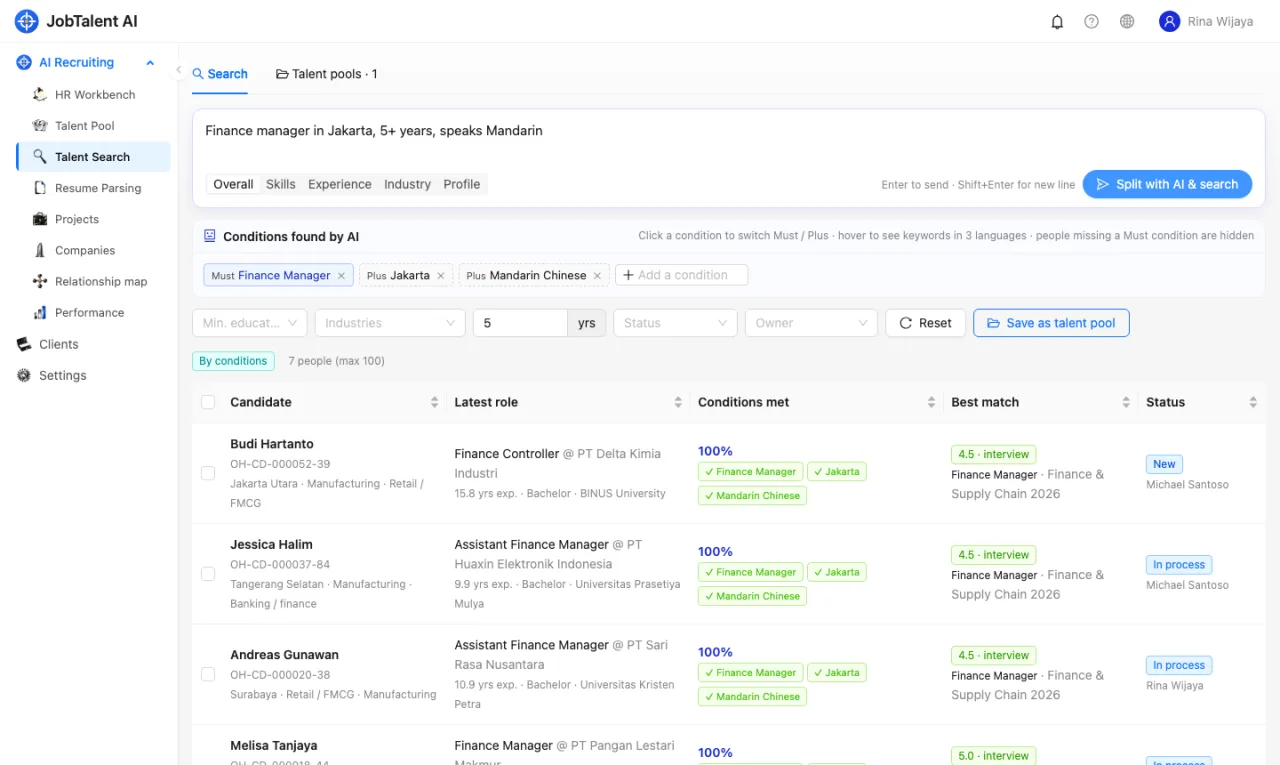
People who miss a "Must" condition are not shown. The "Conditions met" column shows which conditions each person met. Up to 100 people are shown at a time.
If AI is temporarily unavailable (for example, the AI service is busy), the system splits conditions by rules instead. It can recognise years, education and languages, and matches the rest by words. The page shows "Conditions split by rules".
Find similar people
When you find a good candidate, you can use them as a sample to find "Similar people". The system finds the closest people across four areas: skills, experience, industry and profile. This is useful for finding backup candidates. You can also compare on one area only. For example, comparing only "Industry" finds people from the same industry.
After searching
Select candidates, then you can:
- Add to job: choose an open position and add them to it. AI will score them shortly.
- Add to pool, or "Save as talent pool" to save this search's conditions. A talent pool can be visible to you only, or to the whole recruitment team. When you open a talent pool, members added by hand are listed first, followed by live search results for the conditions. New resumes that match the conditions also appear automatically.